

-
Popular Countries
Country Services
 Vietnam Hub
Country Services
 China
China
Country Services
 Indonesia
Country Services
 Malaysia Hub
Country Services
 Philippines Hub
Country Services
 India
India
Country Services
 Nigeria
Country Services
 Bangladesh
Country Services
 Pakistan

Odysseus AI: AI workflow automation solution
AI Coding, AI Productivity, AI Research & Analysis
Gallery


Throughout daily business operations, companies spend enormous amounts of time and resources handling repetitive tasks such as data entry, CRM management, document processing, and email responses. To solve this challenge, Odysseus AI has emerged as an advanced automation platform. Positioned as an AI-powered workflow automation solution, Odysseus AI enables users to build autonomous AI agents that can reason, connect multiple applications, and execute complex workflows with minimal human intervention. Let's explore with Aniday what makes this next-generation business assistant stand out.
What is Odysseus AI?

Odysseus AI is an intelligent automation platform powered by large language models (LLMs) combined with a modern no-code architecture. Unlike traditional AI chatbots that simply answer questions, Odysseus AI is designed to take action.
The platform allows businesses to create specialized AI assistants for different departments, including marketing, sales, finance, and customer support. These AI agents can read documents, make logical decisions based on predefined workflows, and automatically update or publish information across connected business applications without manual intervention.
Explore the key features of Odysseus AI
To become a powerful productivity platform for modern organizations, Odysseus AI offers several advanced capabilities.
No-code workflow builder
Odysseus AI removes the need for programming knowledge through an intuitive drag-and-drop interface. Users can easily build automated workflows such as:
"When a customer submits a website form → AI analyzes the inquiry → AI generates a personalized email → Customer information is automatically added to Google Sheets."
The entire process runs automatically within seconds.
Intelligent AI agents with reasoning capabilities
One of Odysseus AI's biggest strengths is its ability to handle unstructured tasks. When a customer complaint arrives by email, the AI can analyze sentiment, assess urgency, and determine the most appropriate response using the company's internal knowledge base.
Comprehensive multi-platform integration
Odysseus AI acts as a central automation hub, connecting seamlessly with thousands of popular business tools including Gmail, Slack, HubSpot, Salesforce, Trello, and cloud storage services. This centralized integration keeps business data synchronized across every connected platform in real time.
Analytics and performance monitoring
The platform includes a built-in analytics dashboard that allows managers to monitor AI performance in detail. Users can track completed tasks, conversion rates, processing speed, and token usage while receiving recommendations for workflow optimization and cost reduction.
How to set up automated workflows with Odysseus AI
The platform is designed with a streamlined onboarding process.
Step 1: Create an account
Visit the official Odysseus AI website and sign up using your Google account or business email to create a new workspace.


Step 2: Build your workflow
Create a new workflow from the dashboard. Use the drag-and-drop builder to define triggers, AI actions, and connected applications. Upload your company's documentation so the AI can understand internal processes and reference relevant information.

Step 3: Test and deploy
Run a test workflow to verify every automation step works correctly. Once everything is ready, click Publish to activate the workflow and allow it to operate continuously. You can also invite team members to collaborate within the workspace.
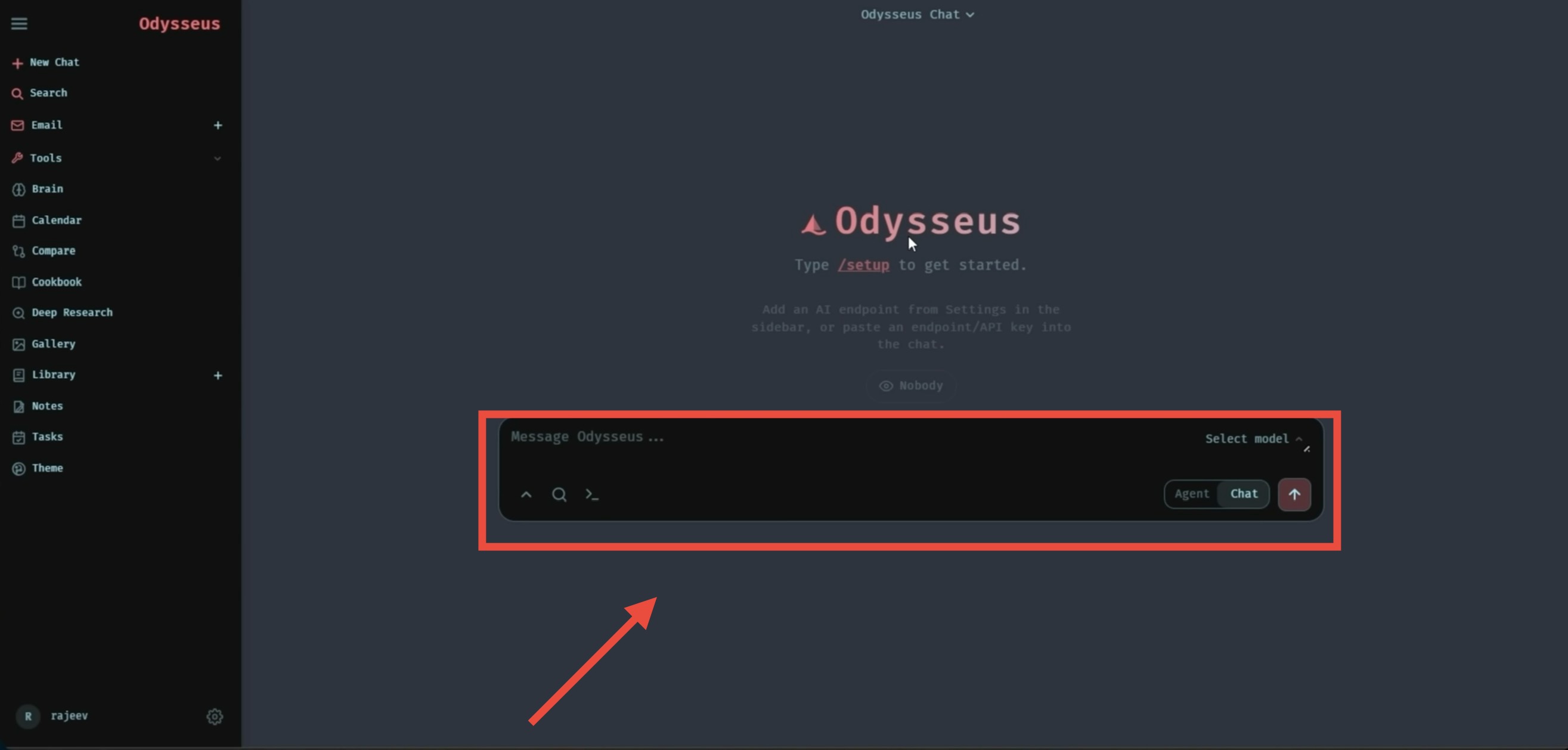
For a more detailed walkthrough, you can also watch the official tutorial on YouTube.
Pros and cons of Odysseus AI
Advantages
- Extremely fast task execution that saves significant manual work.
- User-friendly interface with no programming knowledge required.
- Highly customizable workflows capable of handling complex business processes.
- Helps organizations reduce operating costs while minimizing human error.
Limitations
- High hardware requirements for local AI: Since Odysseus AI is designed to run local AI models for maximum data privacy, optimal performance requires a dedicated GPU with sufficient VRAM. Running large models on entry-level office laptops may result in slow response times.
- Privacy versus performance trade-off: Users without powerful hardware may choose to connect cloud-based AI services such as OpenAI or Claude APIs for faster performance. While this improves speed, it also means sensitive business data is processed by third-party cloud providers instead of remaining entirely local.
Overall review
Odysseus AI represents a significant step forward in AI-powered business automation. By combining autonomous AI agents, no-code workflow creation, and seamless application integrations, the platform enables organizations to streamline repetitive operations and improve productivity. For startups, growing businesses, and enterprise teams looking to automate complex workflows while maintaining flexibility, Odysseus AI is a solution worth exploring.
Related app
-
![What is Muse AI? A Guide to Using Meta's Autonomous AI Assistant]() What is Muse AI? A Guide to Using Meta's Autonomous AI Assistant
What is Muse AI? A Guide to Using Meta's Autonomous AI AssistantAI Productivity, AI Productivity
-
![What is Meta AI? The AI Assistant to Boost Your Productivity]() What is Meta AI? The AI Assistant to Boost Your Productivity
What is Meta AI? The AI Assistant to Boost Your ProductivityAI Productivity, AI Productivity
-
![What Is Osiris AI? A Look at Ukraine's AI Operating System for Drones]() What Is Osiris AI? A Look at Ukraine's AI Operating System for Drones
What Is Osiris AI? A Look at Ukraine's AI Operating System for DronesAI Productivity, AI Productivity
-
![What Is Jev AI? TypeSafe AI's Decision-Making Model]() What Is Jev AI? TypeSafe AI's Decision-Making Model
What Is Jev AI? TypeSafe AI's Decision-Making ModelAI Productivity, AI Productivity
-
![What Is Google Stitch AI? The UI Design Tool That Works in Just Minutes]() What Is Google Stitch AI? The UI Design Tool That Works in Just Minutes
What Is Google Stitch AI? The UI Design Tool That Works in Just MinutesAI Productivity, AI Productivity
-
![Hostinger AI: Build an SEO-Ready Business Website in Minutes]() Hostinger AI: Build an SEO-Ready Business Website in Minutes
Hostinger AI: Build an SEO-Ready Business Website in MinutesAI Coding, AI Coding




